Email Tracker para Outlook
Descubra quem abre seus emails direto na sua caixa de entrada do Outlook.




Usado por profissionais em







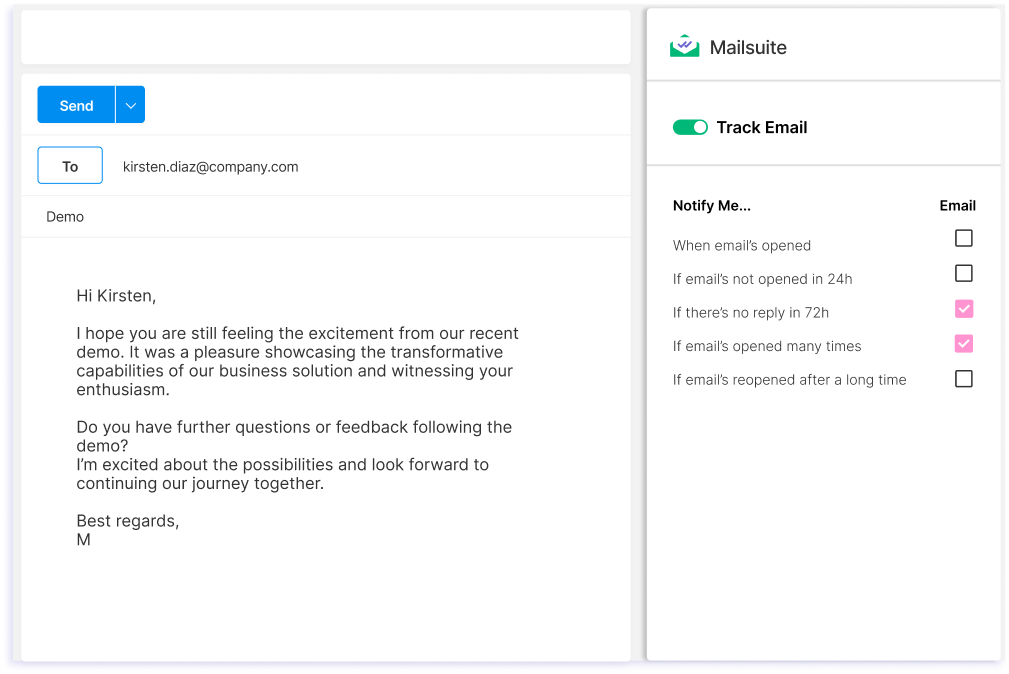
Envie emails com tracking pelo Outlook
Envie emails com tracking pelo Outlook em poucos cliques com a poderosa tecnologia de tracking da Mailsuite.
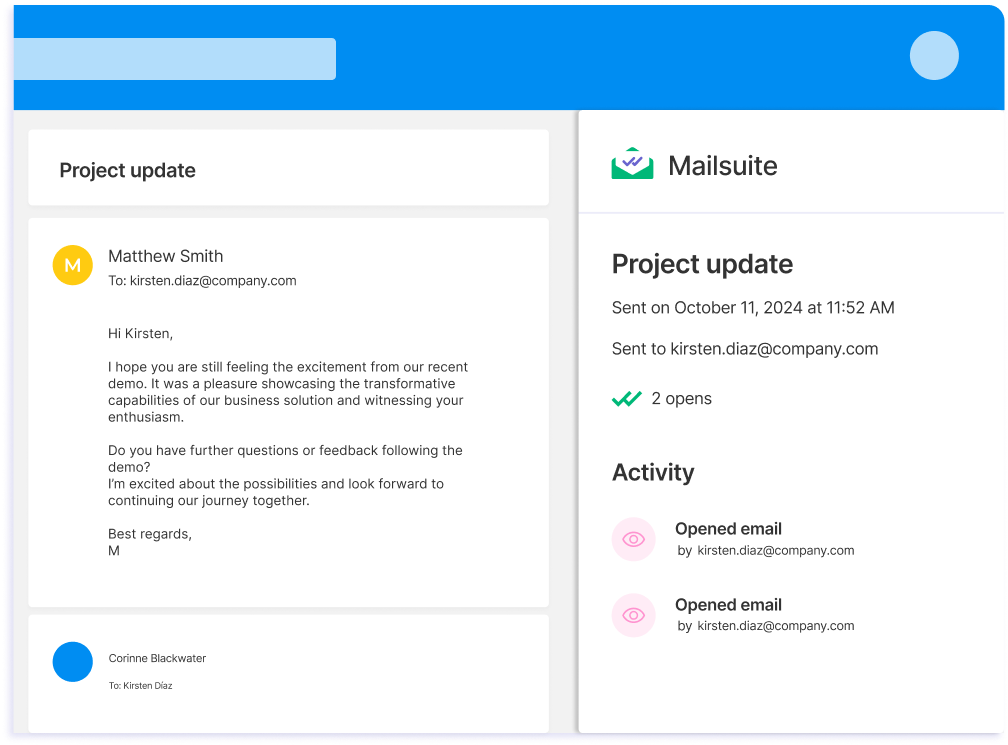
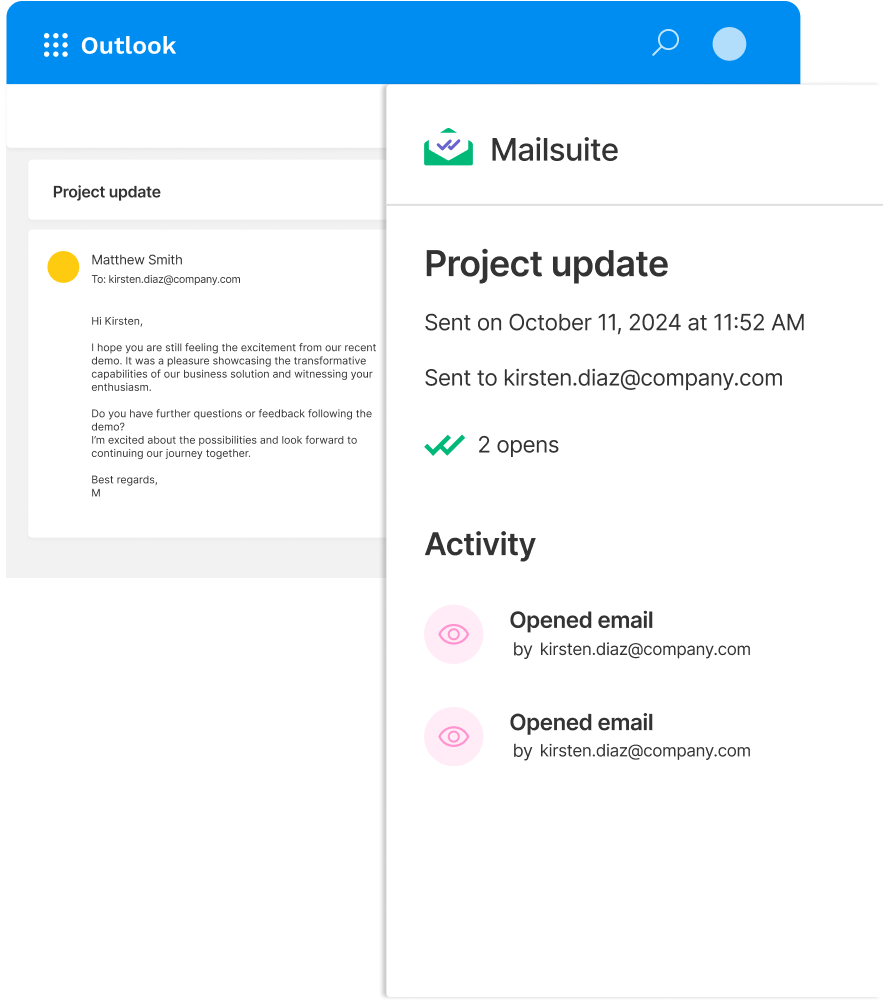
Consulte os dados de tracking sem sair do Outlook
Descubra na hora quem lê seus emails consultando o histórico de tracking no add-in da Mailsuite para Outlook. Os dados de tracking aparecem direto no Outlook. Só a Mailsuite oferece isso.
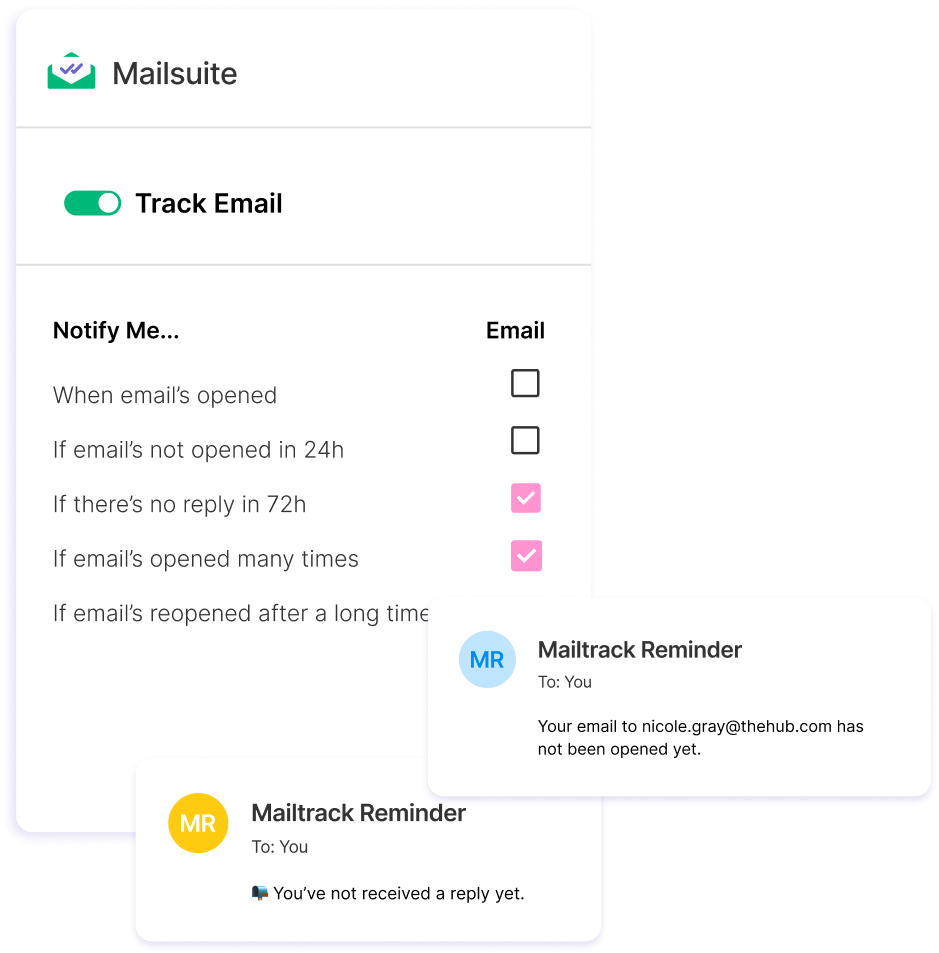
Controle seus emails com lembretes de acompanhamento automáticos
Configure e receba lembretes de acompanhamento personalizados para cada email com tracking que enviar. Saiba se seus emails não foram abertos nem lidos e receba um aviso na caixa de entrada para retomar a conversa.
Como enviar um email com tracking no Outlook
-
Passo 1
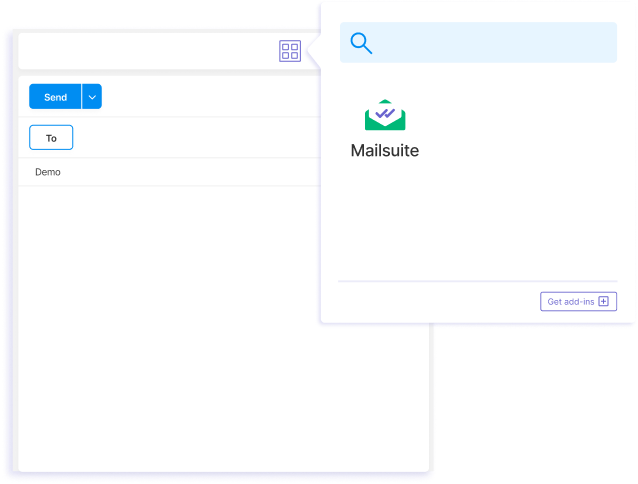
Redija um novo email e selecione o add-in da Mailsuite.
-
Passo 2
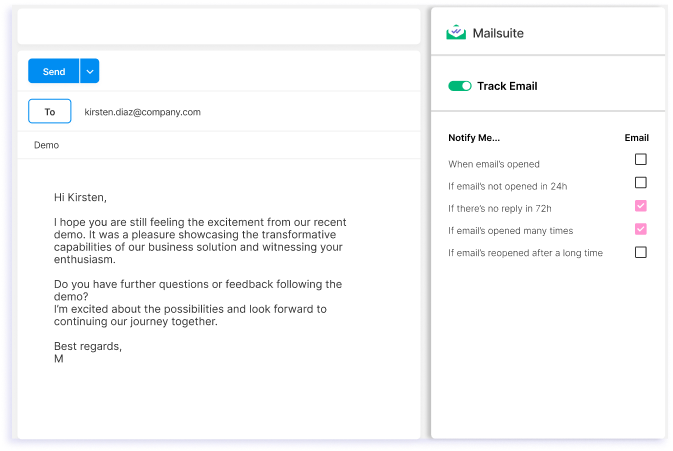
Ative a opção "Track Email" e personalize as configurações de acompanhamento.
-
Passo 3
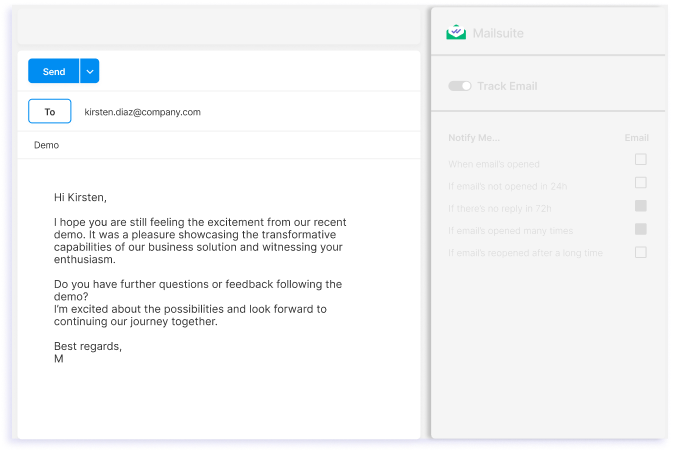
Envie seu email.
E muitas outras funcionalidades
Com o Mailsuite para Outlook, você pode fazer tracking de qualquer email enviado no Outlook com poucos cliques, mas isso não é tudo. Confira outras funções que você vai ter.
Histórico de tracking detalhado
Veja quando e quantas vezes cada um dos seus emails foi aberto, direto no Outlook.
Notificações em tempo real
Receba notificações por email assim que alguém abrir seus emails.
Mantém os teus dados seguros
O Mailsuite usa encriptação AES-256 para proteger os teus dados e nunca acede ao conteúdo dos teus emails.
Tudo dentro do Outlook
Os dados de tracking de email estão disponíveis diretamente no Outlook. Não precisas de consultar plataformas de terceiros.
Cumpre sempre o RGPD
O Mailsuite é seguro de usar porque cumpre totalmente o RGPD e protege a tua privacidade.
A confiança de milhões
Mais de 2 milhões de pessoas usam o Mailsuite para fazer tracking dos seus emails.
FAQ
Resolvemos as tuas dúvidas sobre tracking de email no Outlook
-
Como funciona o Mailsuite para Outlook?
O Mailsuite para Outlook leva as poderosas funcionalidades de tracking de email do Mailsuite para a tua caixa de entrada do Outlook, e podes instalá-lo gratuitamente na Microsoft Store. Integra-se diretamente com as funcionalidades do Outlook e acrescenta-lhes tracking de email dentro do próprio Outlook. Nota: precisas de ter instalada a extensão do Mailsuite para Chrome para poderes usar o Mailsuite para Outlook. -
Como vejo o histórico de tracking de um email no Outlook?
Para ver o histórico de tracking de um email no Outlook, instala o Mailsuite para Outlook na Microsoft Store. Depois de instalado, podes saber se os teus emails foram abertos ou não acedendo à pasta Enviados do Outlook, selecionando o email que queres verificar e clicando no add-in do Mailsuite para Outlook. Assim vês o histórico de tracking completo desse email. -
Como instalo o Mailsuite no Outlook?
Para instalar o Mailsuite no Outlook, abre a página do add-in do Mailsuite na Microsoft Store. Instala-o e segue os passos para ligar o teu endereço de email. Depois de instalado, podes fazer tracking de cada email que envies do Outlook abrindo o add-in do Mailsuite e ativando o tracking de email. -
O add-in do Mailsuite funciona em todas as versões do Outlook?
Sim, o Mailsuite para Outlook funciona no serviço de webmail do Outlook e nas apps de ambiente de trabalho do Outlook para Windows e Mac. -
O tracking de emails é seguro?
Sim, o tracking de email com o add-in do Mailsuite para Outlook é totalmente seguro. O Mailsuite nunca acede ao conteúdo dos teus emails nem partilha ou vende os teus dados a terceiros. Além disso, o add-in do Mailsuite cumpre o RGPD. -
O Mailsuite é grátis para Outlook?
Sim, o add-in de tracking de email do Mailsuite para Outlook é grátis e dá-te acesso a tracking de email ilimitado.
Centro de Privacidade e Segurança
Os serviços da Mailsuite e Mailtrack são utilizados por mais de 116.000 subscritores pagos e empresas em todo o mundo.
Ler mais