


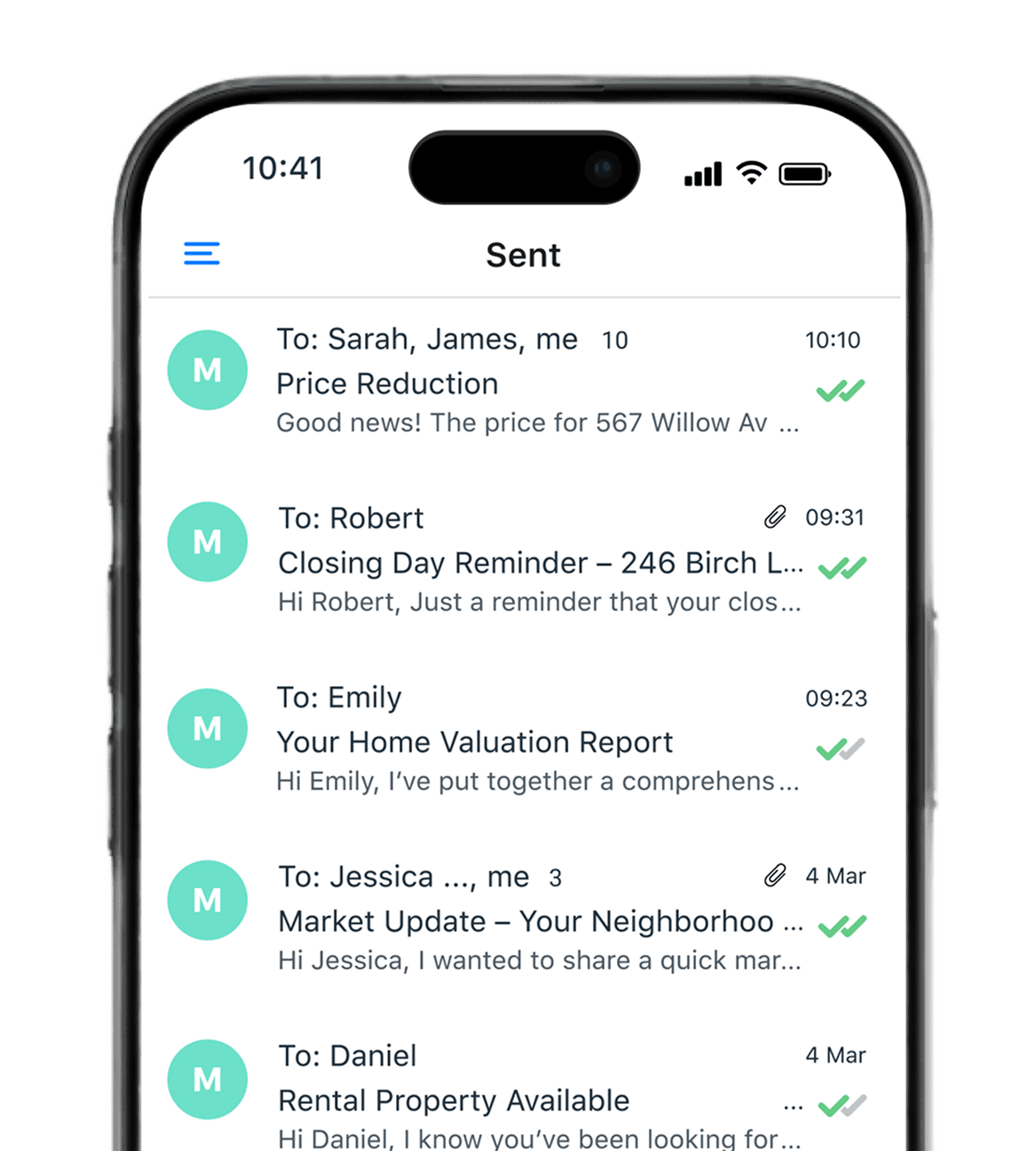
다양한 분야의 전문가들이 사용 중







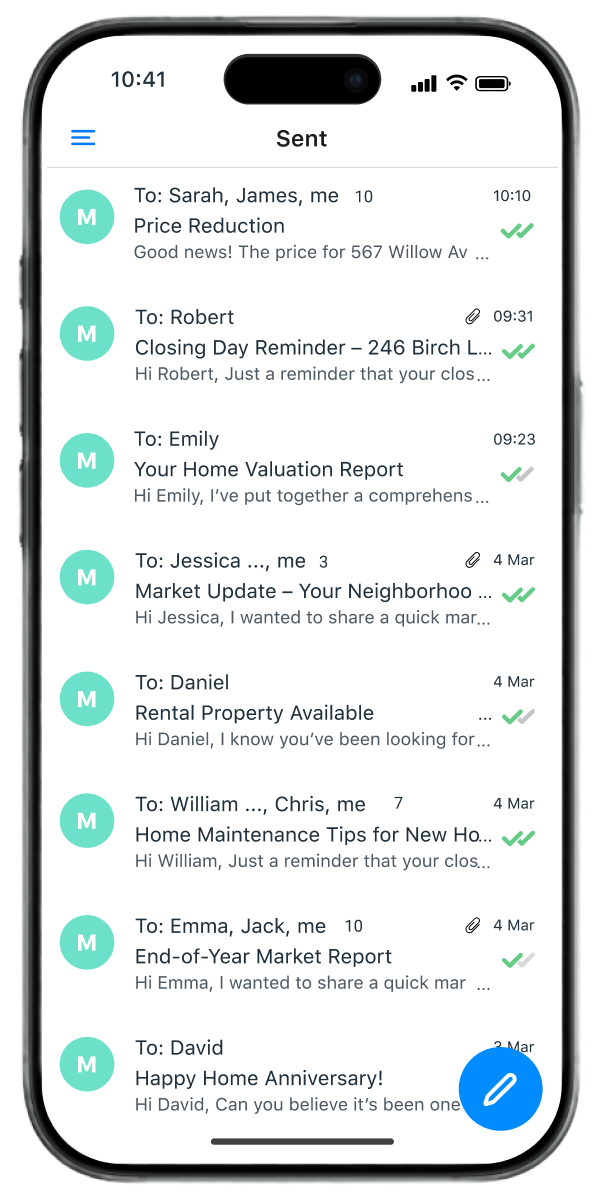
모든 이메일을 기본으로 추적
데스크톱 버전과 동일한 정확도와 편의성으로 이동 중에도 이메일을 추적하세요. 이메일마다 추적을 켤 필요 없이 기본으로 자동 추적됩니다. 평소처럼 작성하고 보내기만 하면 되고, 이메일 습관을 바꿀 필요가 없어요.
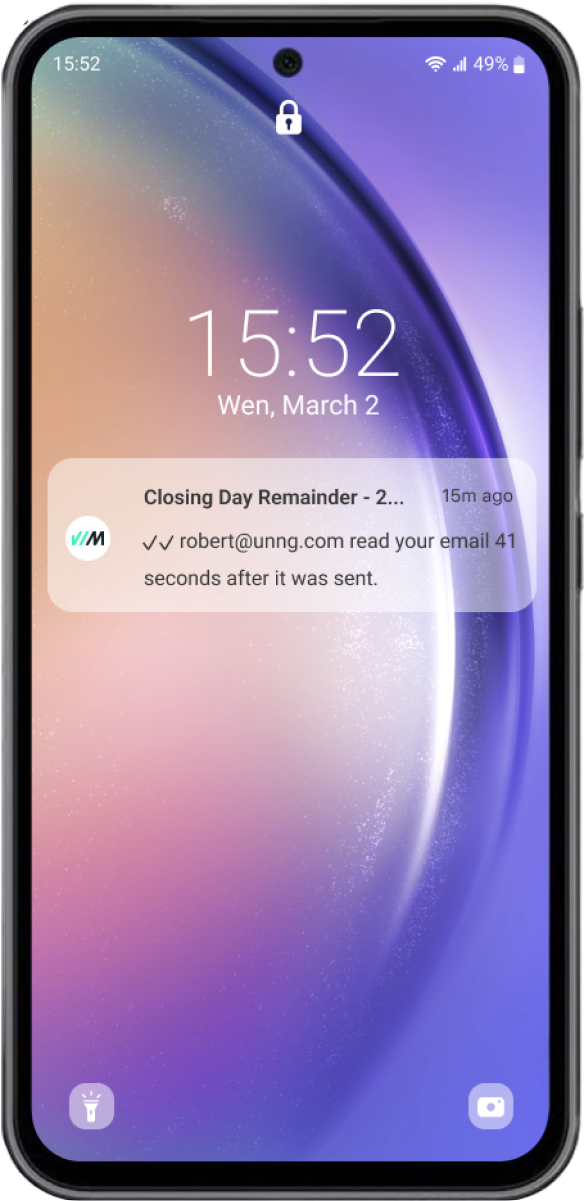
실시간 알림으로 딱 맞는 타이밍에 후속 조치하기
이메일이 열리거나 링크를 클릭하거나 파일을 확인하면 즉시 알림을 받으세요. 후속 조치 알림으로 흐름을 놓치지 않고, 여러 번 열람 시 집중 열람 알림과 재열람 시 재열람 알림으로 관심 있는 상대를 파악하세요.
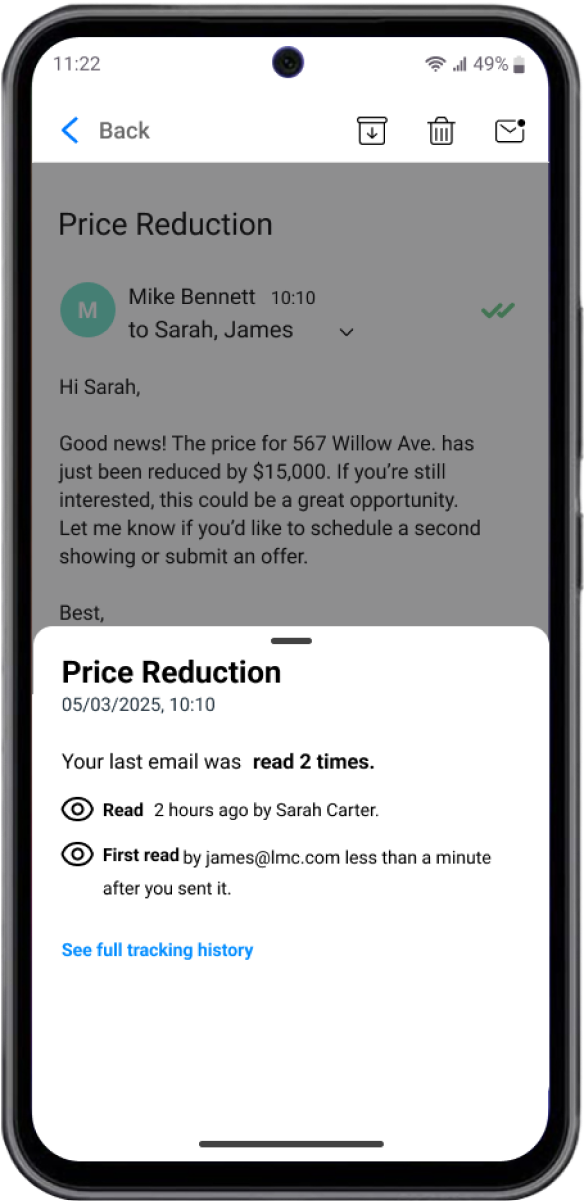
앱을 옮겨 다닐 필요 없음
Mailsuite 앱 안에서 이메일을 보내고 추적하세요. 앱이나 화면을 넘나들 필요가 없습니다. 모든 이메일이 자동으로 추적되며, 열람·링크 클릭·후속 조치 알림을 한곳에서 실시간으로 받아보세요.
모바일에서 추적 이메일 보내는 간단한 방법
-
단계 1
Mailsuite 앱 설치하기
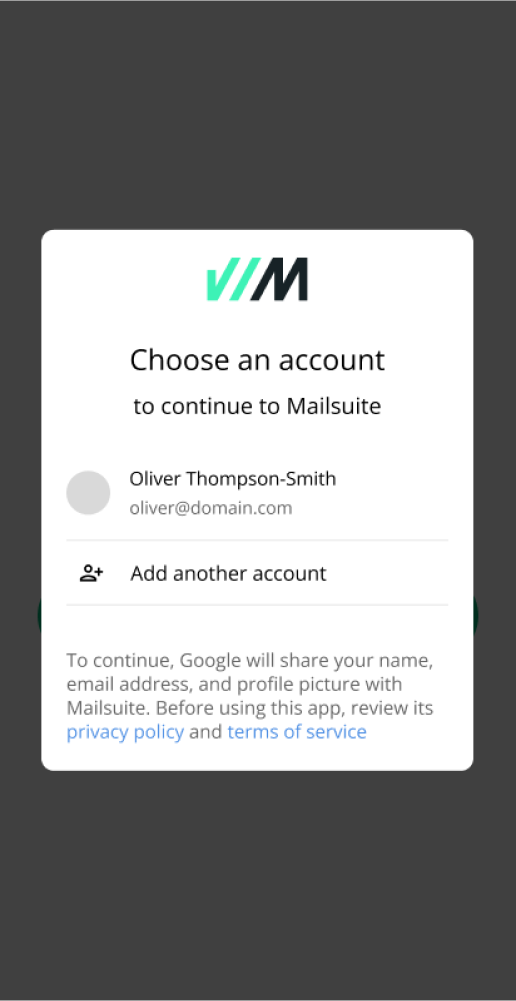
Google Play(안드로이드) 또는 앱스토어(아이폰)에서 Mailsuite를 다운로드하세요. Mailsuite에 연결된 Gmail 계정을 연결하세요.
-
단계 2
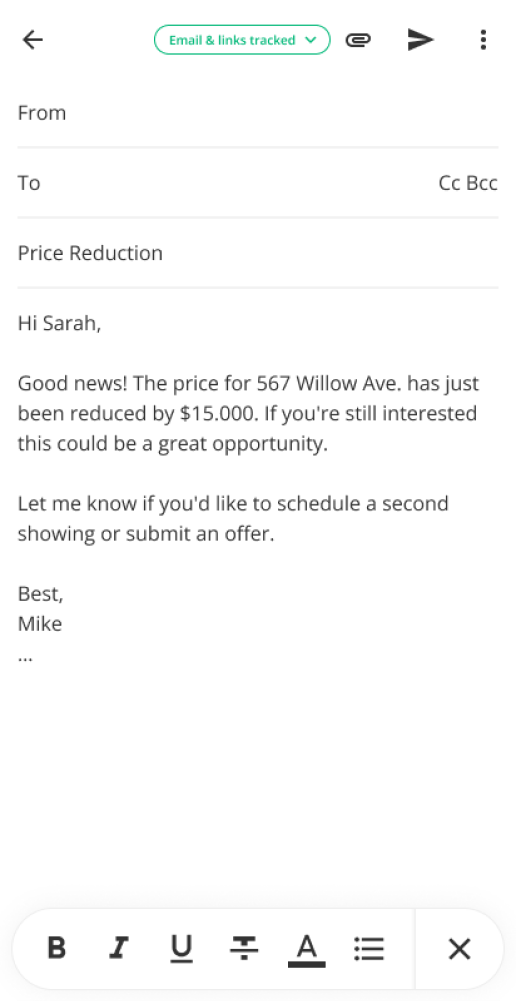
평소처럼 이메일 보내기
이메일은 자동으로 추적되므로 별도 단계나 설정이 필요 없어요.
-
단계 3
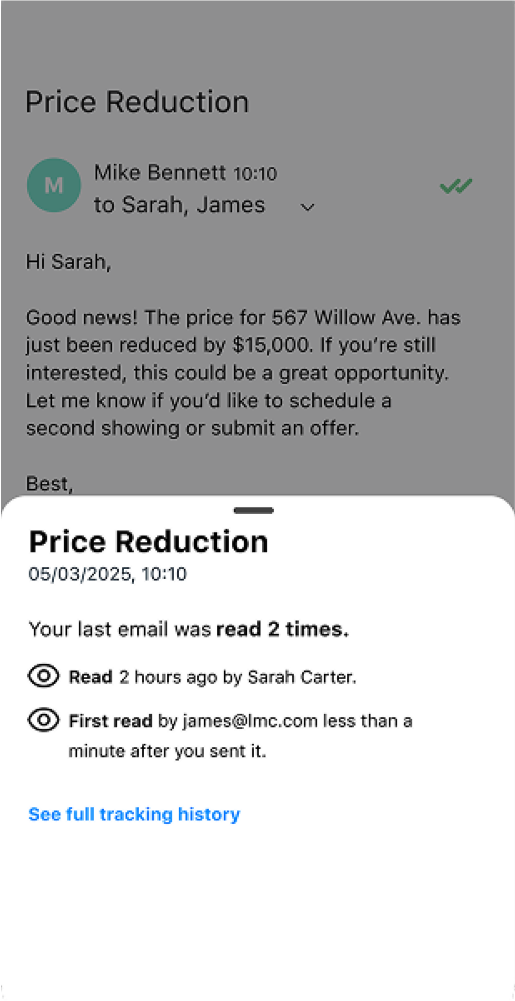
보낸편지함에서 열람 여부 확인하기
보낸편지함으로 이동해 이메일의 체크 표시를 확인하세요. 체크 표시가 하나면 추적 상태로 발송됐지만 아직 열람되지 않은 것이고, 두 개면 이미 열람된 것입니다.
그 외 다양한 기능
자동 이메일 추적
보내는 모든 이메일이 기본으로 추적되어 별도 단계가 필요 없어요.
실시간 알림
이메일 열람, 링크 클릭, PDF 파일 확인 여부를 바로 알 수 있어요.
후속 알림
이메일이 읽히지 않거나 답장이 없을 때, 짧은 시간 안에 여러 번 열릴 때, 오랜만에 다시 열릴 때 알림을 받으세요.
전체 열람 기록
모든 열람 기록으로 시간에 따른 반응을 확인하세요.
단체 메일에서 개별 추적
여러 명에게 보낸 메시지에서 누가 열람했는지 정확히 확인하세요.
링크 추적
수신자가 이메일 속 링크를 클릭했는지 확인하세요.
FAQ
궁금한 점, 해결해 드려요
-
Mailsuite 모바일 앱은 어떤 기기에서 사용할 수 있나요?
Mailsuite 모바일 앱은 iPhone, Android는 물론 iPad, Android 태블릿, Samsung Fold Z(태블릿 모드)를 포함한 태블릿에서도 사용할 수 있어요 -
Mailsuite 모바일 앱은 모든 사용자가 사용할 수 있나요?
네, Mailsuite 모바일 앱은 모든 플랜의 모든 사용자가 이용할 수 있어요 -
Mailsuite 부가기능과 Mailsuite 앱의 차이점은 무엇인가요?
Mailsuite 모바일 앱은 App Store(iPhone)나 Google Play(Android)에서 설치할 수 있는 독립 앱이고, Mailsuite 부가기능은 Google Workspace 마켓플레이스에서 제공되며 모바일 기기의 기본 Gmail 앱 안에서 작동하는 확장 프로그램이에요. 가장 큰 차이점은 이메일 추적 방식이에요. 모바일 앱에서는 별도 설정 없이 보낸 모든 이메일이 자동으로 추적되지만, 부가기능은 보내는 이메일마다 추적을 수동으로 활성화해야 해요. 앱과 부가기능 모두 모든 사용자가 이용할 수 있어요. -
Mailsuite 앱은 어떻게 작동하나요?
Mailsuite 앱에서는 이메일 추적이 정말 간편해요. 보낸 모든 이메일이 별도 단계 없이 자동으로 추적돼요. 받은편지함에서 체크 표시만 확인하면 이메일이 열람됐는지 알 수 있어요. 체크 표시를 탭하면 자세한 추적 데이터를 볼 수 있어요 -
앱을 사용하는 동안 제 데이터는 안전하게 보호되나요?
네. 저희는 회원님의 이메일이나 개인정보를 저장, 판매, 공유하지 않아요. Mailsuite는 GDPR을 완벽히 준수하며, 최고 수준의 개인정보 보호와 보안을 위해 매년 Google 보안 감사를 받고 있어요
개인정보 및 보안 센터




Mailsuite와 Mailtrack 서비스는 전 세계 116,000명 이상의 유료 구독자와 기업으로부터 신뢰받고 있습니다.
더 보기