
다양한 분야의 전문가들이 사용 중







Gmail 통합 CRM으로 업무 흐름을 단순화하세요
이제 앱을 오갈 필요 없습니다. CRM이 Gmail에 바로 내장되어 있어 업무 흐름이 간편해지고 소중한 시간을 아낄 수 있습니다. 필요한 모든 것이 한곳에 있어 방해 요소는 줄고 생산성은 높아집니다.
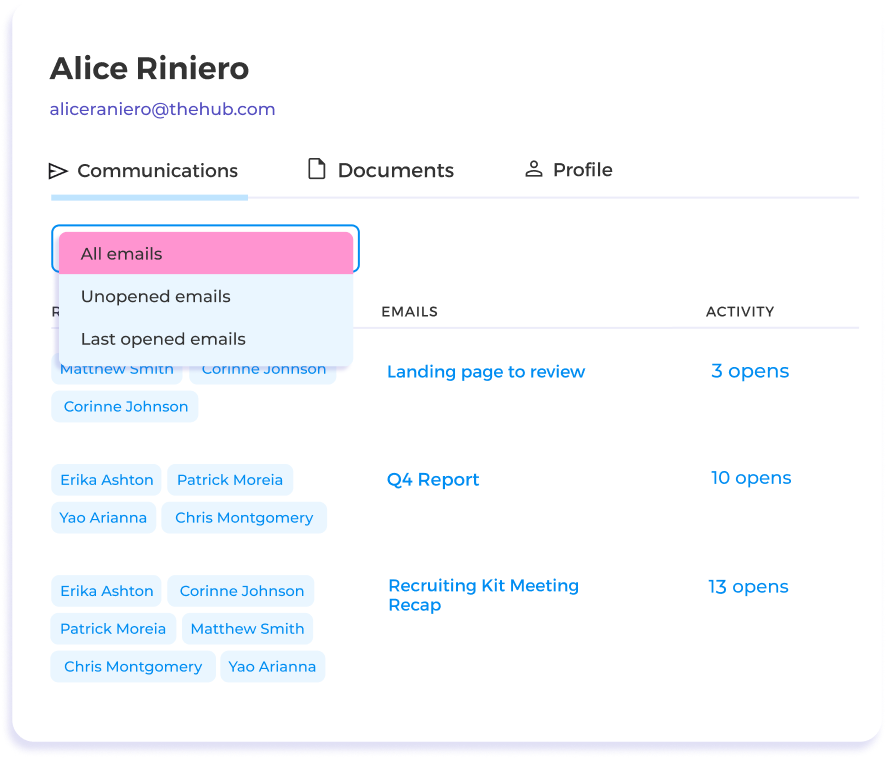
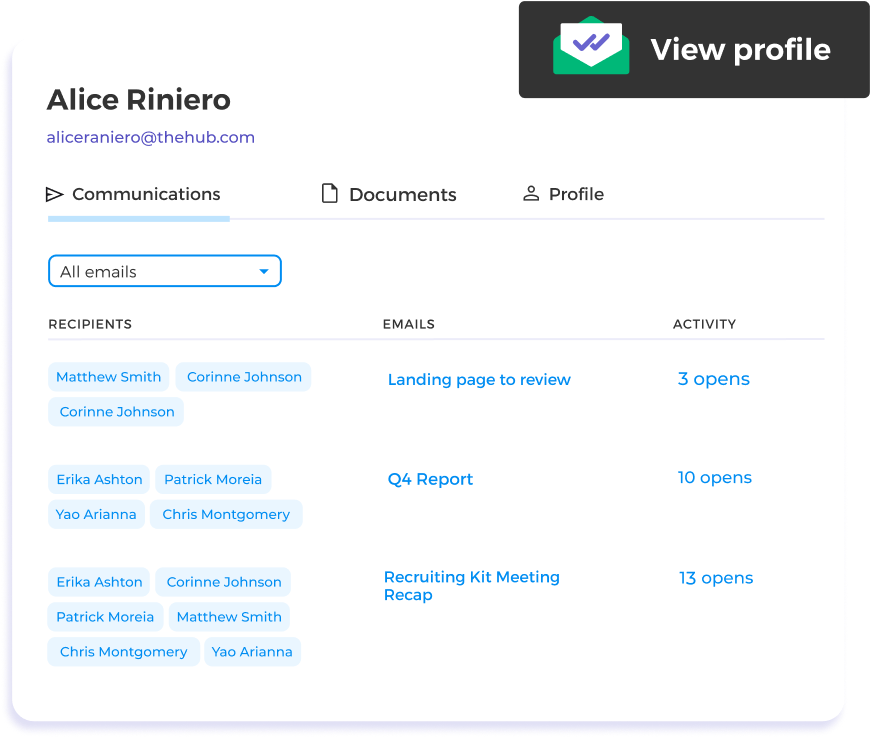
모든 Gmail 활동을 자동으로 기록하세요
수동 입력은 이제 그만—모든 데이터가 고객별로 자동 정리됩니다. 주고받은 이메일, 문서, 추적 및 반응 데이터가 CRM에 자동으로 기록됩니다. 데이터 입력에 쓰는 시간을 줄이고 관계 구축에 더 집중하세요.
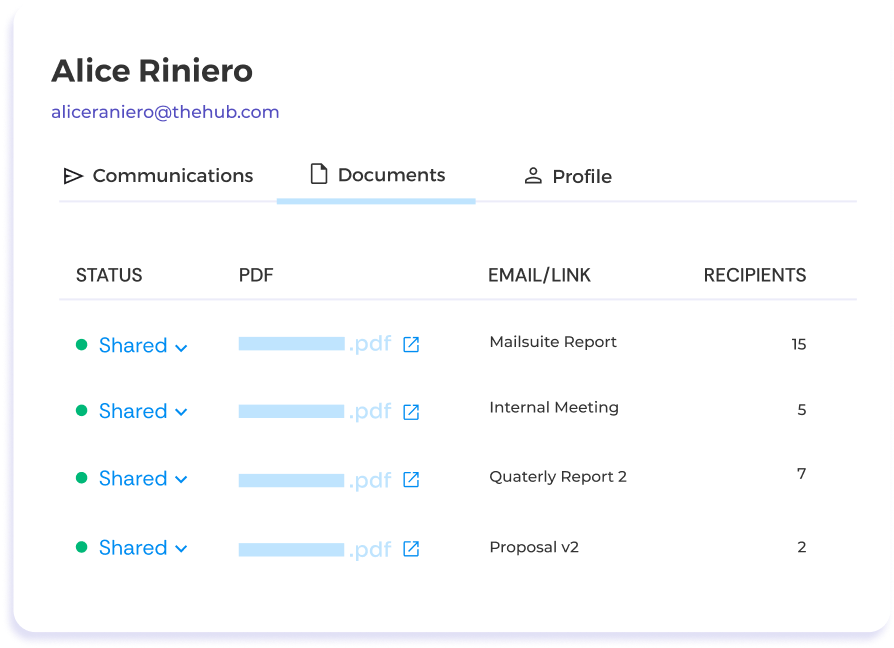
파일을 빠르게 찾으세요
파일을 순식간에 찾으세요. 문서가 고객별로 자동 분류되어 수많은 이메일을 일일이 뒤지거나 오래된 버전을 걱정할 필요가 없습니다. 필요한 순간에 필요한 것을 바로 확인하세요.
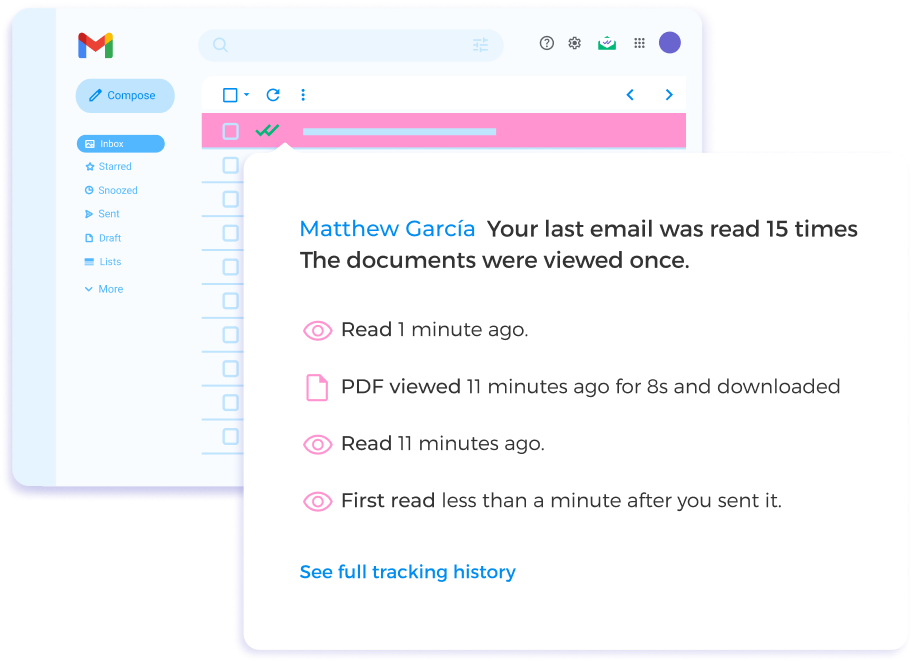
고객 데이터를 활용해 근거 있는 답장을 작성하세요
고객을 즉시 파악하세요. Gmail 받은편지함에서 바로 실시간 고객 데이터와 상호작용 기록을 확인할 수 있습니다. 개인화되고 근거 있는 답장을 작성해 소통의 질을 높이세요.

배울 필요 없이 첫날부터 관계를 쌓으세요
배울 필요가 없습니다. CRM이 Gmail에 통합되어 있어 새로 익힐 것이 없습니다. 새로운 시스템에 적응하는 번거로움 없이 강력한 CRM 기능을 바로 활용할 수 있습니다.
그 외 다양한 기능
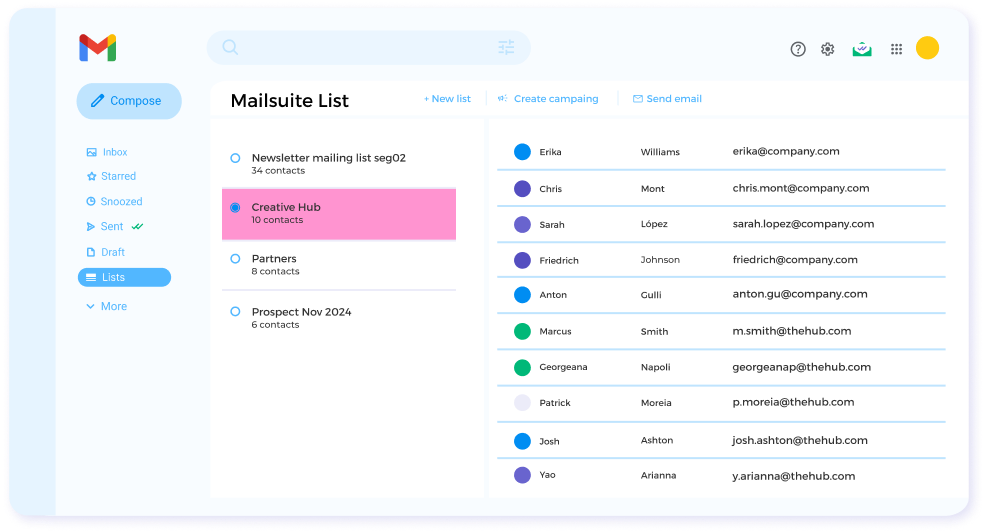
Gmail 내 연락처 관리
Gmail을 벗어나지 않고 연락처 목록을 만들고 업데이트해 시간을 절약하고 이메일을 더 효율적으로 개인화하세요.
무제한 이메일 추적
이메일 추적을 무제한으로 보내 이메일 성과를 자세히 확인하고 다음 메시지를 개선하세요.
문서 추적과 통계
잠재 고객과 리드가 문서와 어떻게 상호작용하는지 핵심 데이터를 확인하고, 이를 바탕으로 대화를 이끌어보세요.
실시간 알림
상대방이 이메일과 상호작용하는 순간을 정확히 파악하고, 고객으로 전환하기 위한 다음 단계를 계획해보세요.
미열람 알림
답장 없는 이메일을 그냥 넘기지 마세요. 상대방이 이메일을 열어보지 않았거나 답장하지 않았을 때 알림을 받고 바로 대화를 다시 시작하세요.
이메일 통계와 리포트
통계와 리포트로 이메일 성과를 분석하고 다음 캠페인의 KPI를 설정해서 데이터 기반으로 결정하세요.
FAQ
Gmail용 CRM, 궁금한 점을 모두 답해드려요
-
Gmail에도 CRM 시스템이 있나요?
Gmail에는 기본 내장된 CRM 시스템이 없어요. 하지만 Mailsuite는 Gmail과 바로 연동되기 때문에 CRM으로 사용할 수 있고, 받은편지함을 벗어나지 않고도 주요 기능을 이용할 수 있어요. -
Google Contacts를 CRM으로 사용할 수 있나요?
Google Contacts만으로 CRM을 만들기는 어려워요. Google Workspace의 여러 도구를 조합해서 나만의 CRM을 만들 수도 있지만, 금방 복잡해지기 쉬워요. Mailsuite처럼 그 자체로 CRM 역할을 하는 Gmail 부가기능을 사용하는 게 가장 좋아요. -
Mailsuite의 CRM은 누구에게 유용할까요?
Mailsuite의 CRM 기능은 영업팀, 비즈니스 개발 담당자, 소규모 사업자, 스타트업 창업자에게 특히 유용해요. 하지만 연락처 목록이 있거나 잠재 고객에게 연락하는 사람이라면 누구나 Mailsuite를 간단하고 효율적인 CRM으로 사용할 수 있어요. -
Mailsuite의 CRM에는 이메일 추적 기능이 있나요?
네, Mailsuite의 CRM은 무료로 무제한 이메일 추적을 제공해요. 개별 이메일뿐 아니라 그룹 이메일의 열람, 링크 클릭, 첨부 문서 열람 및 다운로드까지 추적할 수 있어요. 그룹 이메일을 보내도 Mailsuite는 수신자별로 개별 추적 데이터를 제공해요. -
다른 CRM 대신 Mailsuite의 CRM을 사용하면 어떤 장점이 있나요?
Mailsuite의 CRM을 사용하면 좋은 점이 명확해요. 무료로 간단하게 설치할 수 있고, 무제한에 정확도 높은 이메일 추적을 제공해요. 게다가 Gmail과 바로 연동되니까 받은편지함을 벗어나지 않고도 연락처 목록을 관리하고, 추적 이메일을 보내고, 추적 데이터를 확인할 수 있어요. 이메일을 놓치지 않도록 실시간 알림과 후속 조치 리마인더도 제공해요.
개인정보 및 보안 센터




Mailsuite와 Mailtrack 서비스는 전 세계 116,000명 이상의 유료 구독자와 기업으로부터 신뢰받고 있습니다.
더 보기